
Requests for a change of major must be submitted online only. Any application submitted via email, after the deadline, or through any other channel will not be accepted.
Please submit only one request. Once the ticket has been created, if you wish to make a change or add details, you can do so directly on the ticket.
If you are enrolled in the Bachelor’s in Health Sciences program and wish to change your major or withdraw from the health sciences program, please use the form specifically designed for this situation.
Application Deadline
November 18, 2026, at 11:59 p.m.
To apply, you must be enrolled in your first year of higher education.
Your application will be reviewed by an ad hoc academic committee based on available spots, your previous academic performance, and your motivation. You will receive a response no later than December 18, 2026.
- If accepted, you will receive instructions on how to complete your enrollment.
You will take the first-semester exams for your new program during the make-up exam period (June 2027) and will be put in touch with the instructors to gain access to the courses.
You may request credit transfers for coursework units that were successfully completed in your original program and are common to both programs. To do so , you MUST take yourfirst-semester exams (IMPORTANT for students receiving financial aid: attendance for thefirst semester is tracked based on your original program).
-
While awaiting a response from the administration, you must nevertheless complete the online course registration for your original program to secure your schedule in case of a negative response.
How do I submit an online application?
-
You are a student at AMU
- Log in to your ENT
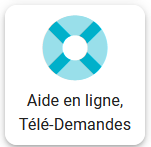
- Type “online requests” into the search bar and click “Online Help - Online Requests”
 télédemande.png
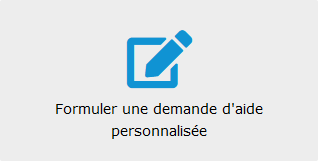
- Then click “Submit a request for personalized assistance”
 demande_perso.png
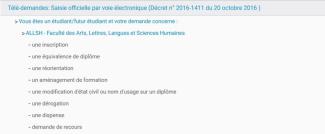
- Select the “Official Electronic Registration” drop-down menu, then “You are a student/prospective student,” and finally “ALLSH - Faculties of Arts, Letters, Languages, and Humanities”
 Saisie off.jpg
- Click on “a change of major”
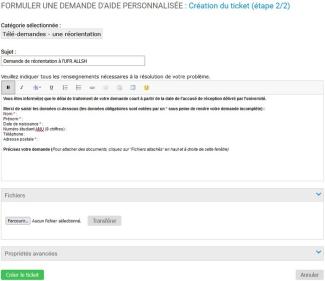
- Fill out the online form, attach your completed reorientation application and the required documents by clicking “Files”
- Click “Create Ticket”
 Aide perso.jpg
 -
You are a student not enrolled in the AMU
- Visit HELPDESK to submit your online request
- Click “Sign in with an email address”
- Click “Create your account”
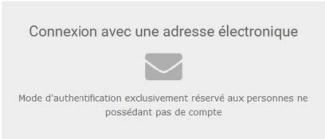 connexion.jpg
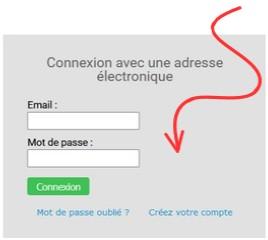 connexion_creer.jpg
- Enter your email address and name, then click “Create Account.” You will receive your password by email.
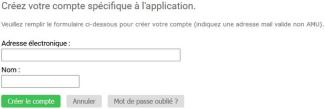 creer_compte.jpg
